AI OPTIMIZER
Know what to optimize first — and why
DataRocks analyzes campaign performance, finds the highest-impact opportunities, and shows you what to act on first based on what matters most to your business.
No credit card required
HOW AI OPTIMIZER WORKS
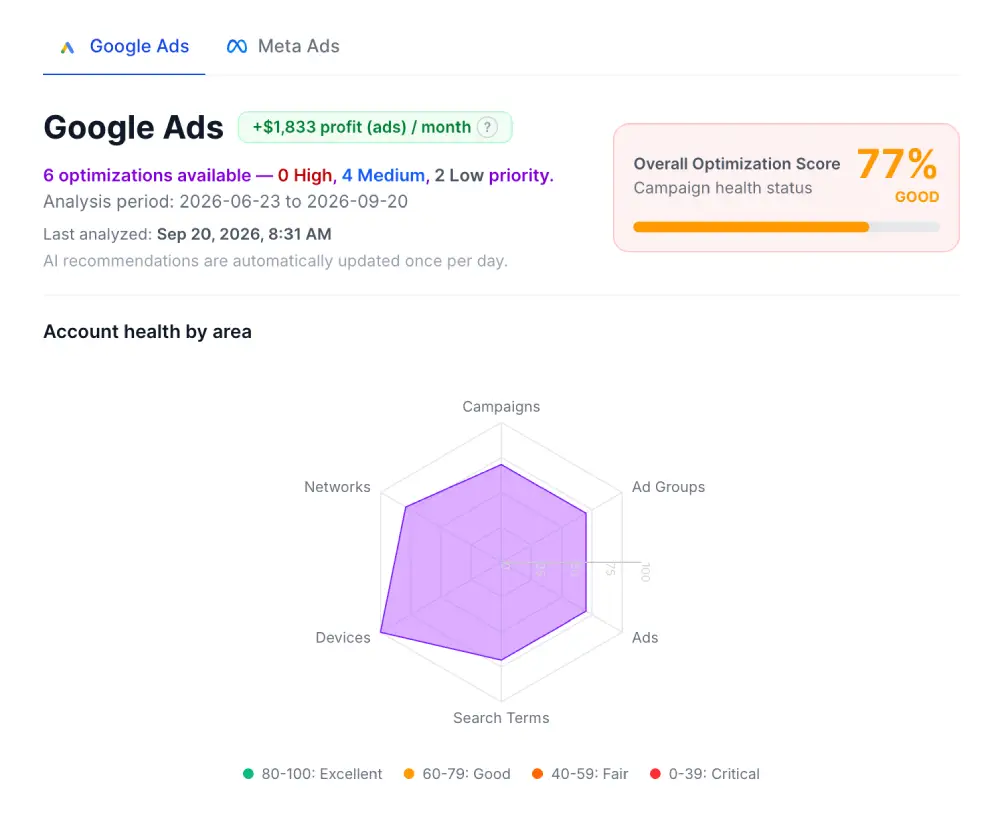
From performance signals to clear priorities
Analyze
DataRocks analyzes performance across your account to detect issues and optimization opportunities.
Prioritize
Opportunities are ranked by urgency, potential business impact, and what matters most to your business.
Validate
Review the evidence, expected result, and affected performance data before deciding what to change.
CAMPAIGN HEALTH
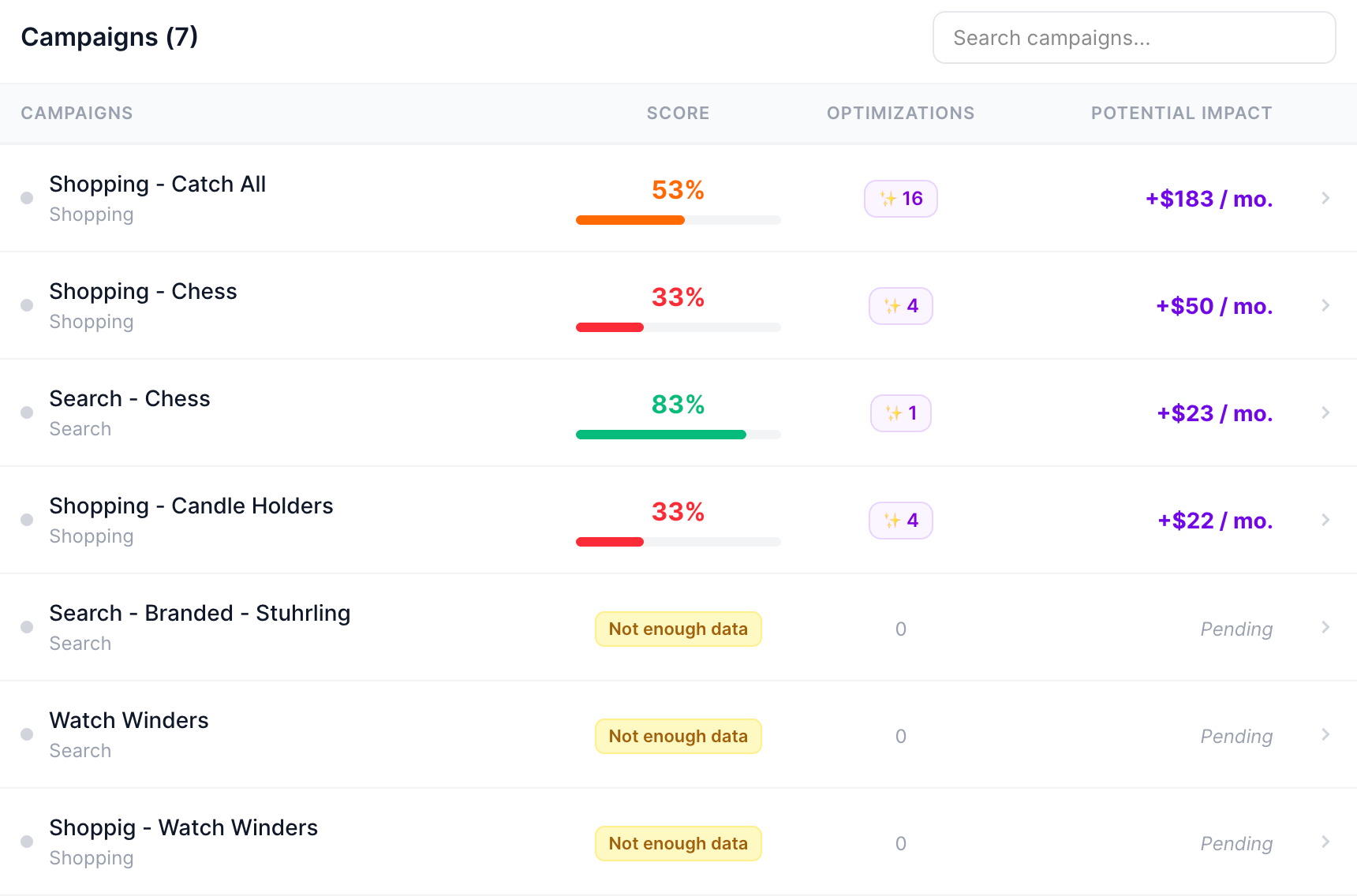
See which campaigns need attention
See optimization scores, detected opportunities, and potential impact across your campaigns so you know where to focus first.
PRIORITIZED RECOMMENDATIONS
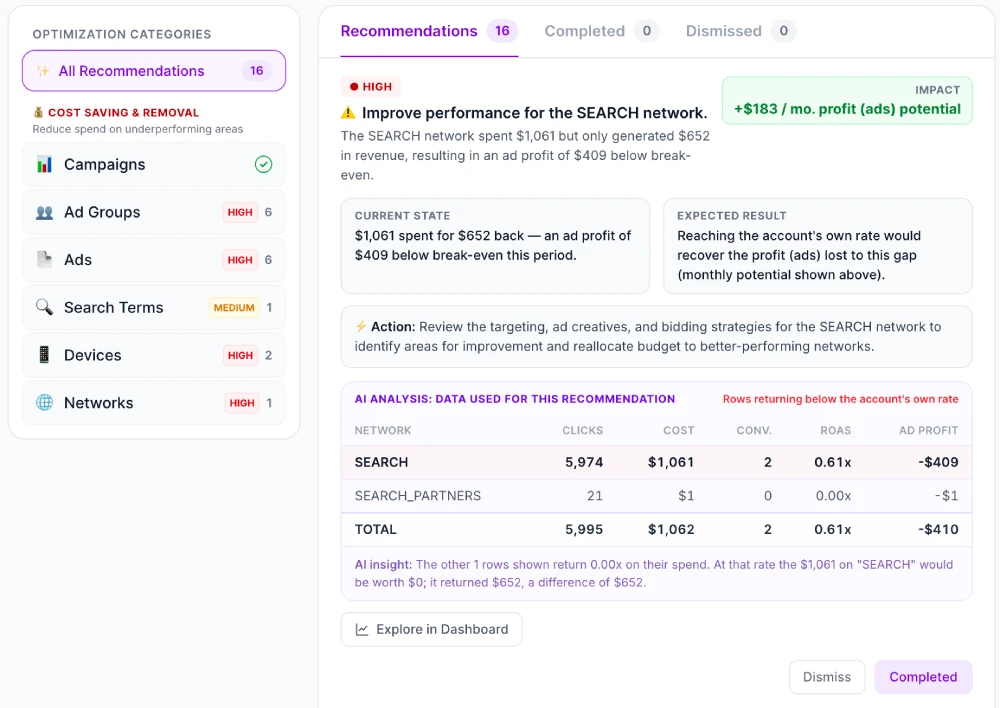
Know what to change first — and what it could improve
DataRocks turns detected opportunities into prioritized recommendations and shows the potential business impact of each action.
EXPLAINABLE AI
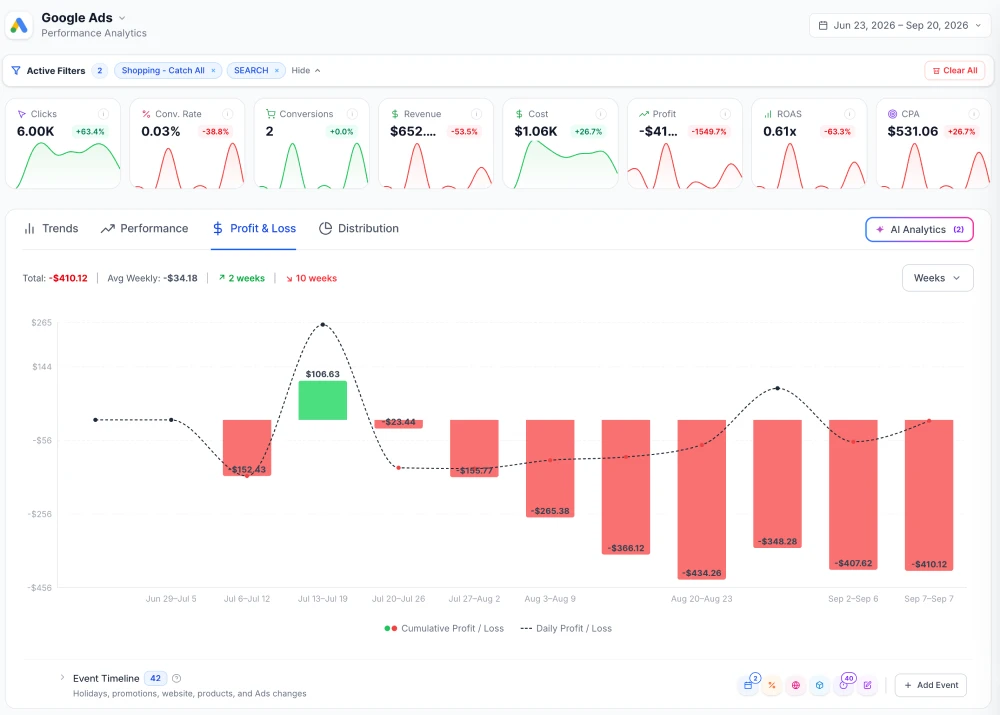
See the reasoning. Validate before you act.
Open any flagged segment in Performance Intelligence to see when performance changed, how much profit or loss it created, and what may have caused it.
FAQ
Questions, answered.
What is AI Optimizer?
AI Optimizer analyzes campaign performance and turns detected opportunities into prioritized recommendations aligned with your AI Focus goal.
What does AI Optimizer analyze?
It evaluates budget, bidding, keywords, search terms, targeting, devices, networks, ads, tracking, campaign structure, and other performance data to find detected opportunities.
How does AI Optimizer decide what to prioritize?
DataRocks evaluates recommendations based on urgency, campaign performance, business priorities, and expected impact — for example, the potential additional Ad Profit a recommendation could generate each month.
What is AI Focus?
AI Focus is the primary business goal you select in Smart Goals. AI Optimizer uses it as context when prioritizing recommendations.
Can I see why AI made a recommendation?
Yes. Recommendations show the current state, recommended action, expected result, potential Ad Profit, and DataRocks Analysis with supporting evidence.
Does AI Optimizer automatically change my campaigns?
No. AI Optimizer currently provides recommendations and analysis. You decide whether and how to implement changes.
Can I investigate a recommendation further?
Yes. Open the affected segment in the Performance Intelligence drilldown to see when performance changed, how much profit or loss it created, and what may have caused it.
AI OPTIMIZER
Find the Opportunity
Understand the Impact
Optimize With Confidence
Try AI Optimizer No credit card required